 Glimmer
Too busy thinking
to stay organized?
Glimmer is a free, private spiritual life coach for deep thinkers, neurodivergent minds, and anyone too busy thinking to keep a tidy to-do list. Check your energy, pick one small thing, and notice what actually helps. No streaks to break, no guilt, no account.
Coming soon for Mac, iPhone and iPad.
Download for Mac Free. Requires macOS 15 or later.iPhone and iPad are coming soon.
Neurodivergent-friendly by design
At work
Talking with your manager while they explain budget approvals.
Drag the dial, click it, or use the arrow keys.
Pattern worth noticing
A taste of logging in Glimmer. Nothing you rate here is saved or sent.
Notice what drains you, then test one small change.
After a frustrating meeting with your manager, log the moment and how it left you. Note what felt missing, then set one small task, like spending twenty minutes practicing a skill for a job you want.
The Toolkit
Tools for a full head.
Small helpers that take the mess in your head and hand back one clear next step. They run on your device and never judge a messy list.
Break it downPreview
Clean the kitchen
An example of each tool. Nothing you type here is saved or sent.
How a day with Glimmer works
If speaking up at work feels hard, write down one question and ask it at your next meeting. Afterward, note that you asked it. The next time, see what feels a little easier.
-
Morning
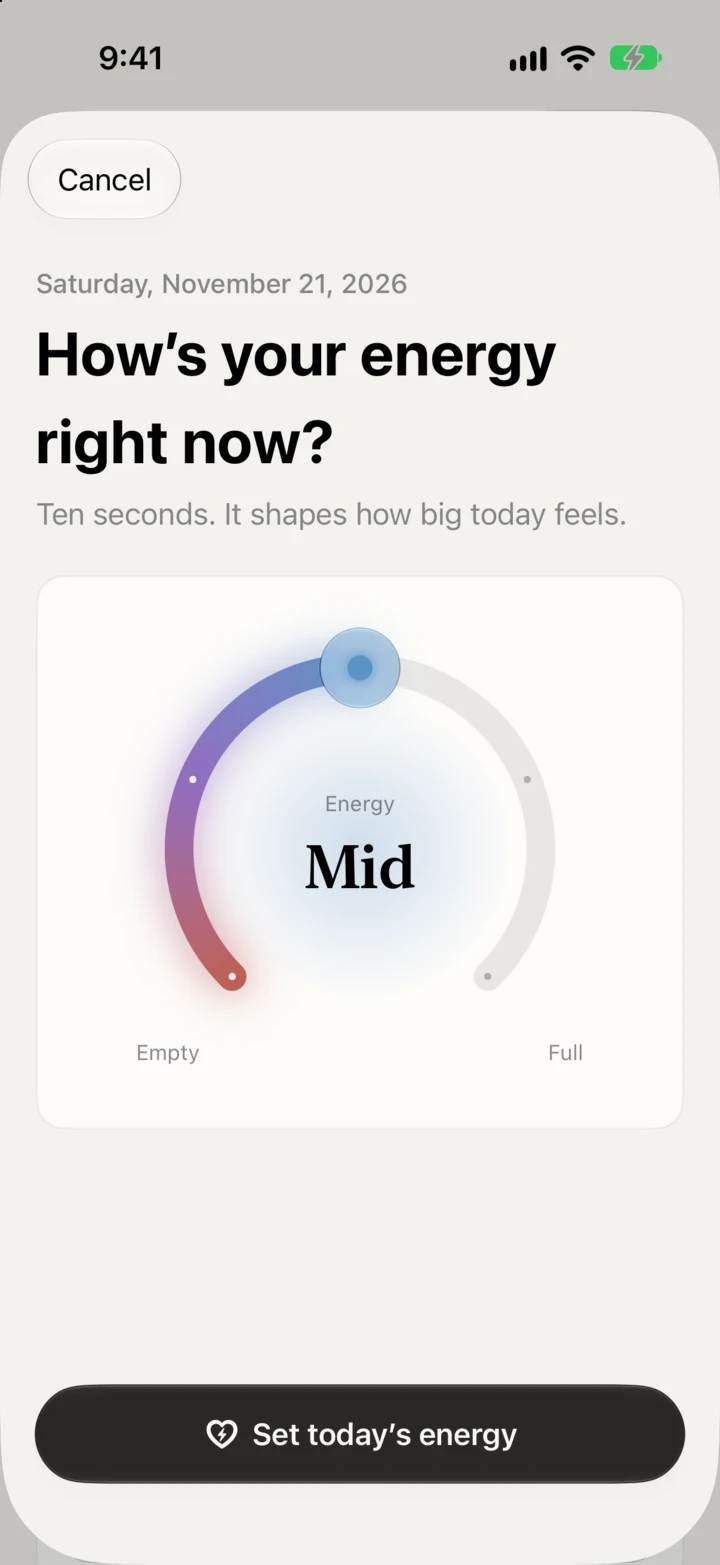
Start with how you feel.
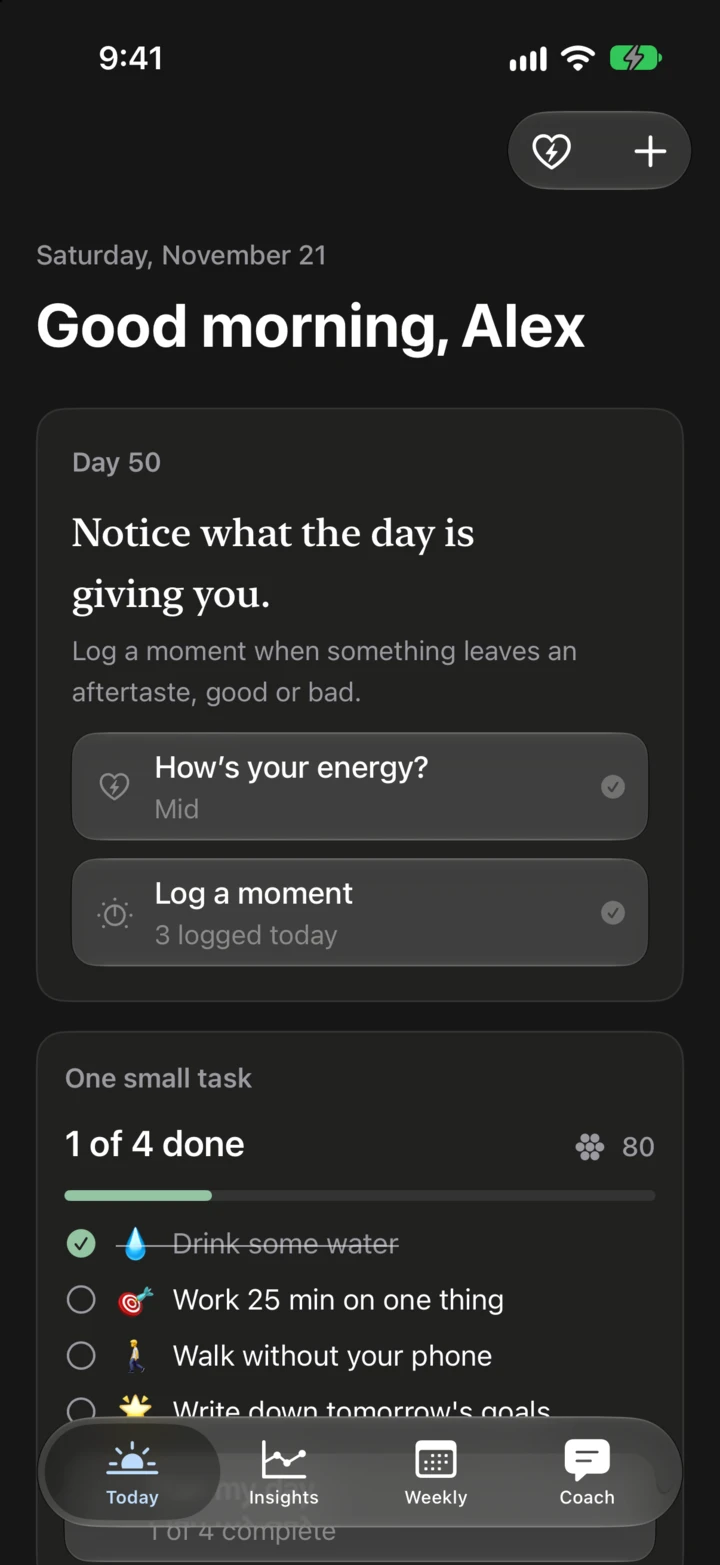
A ten-second energy check shapes how big today should be. Low energy gets a smaller day, and that’s the point.
-
A minute later
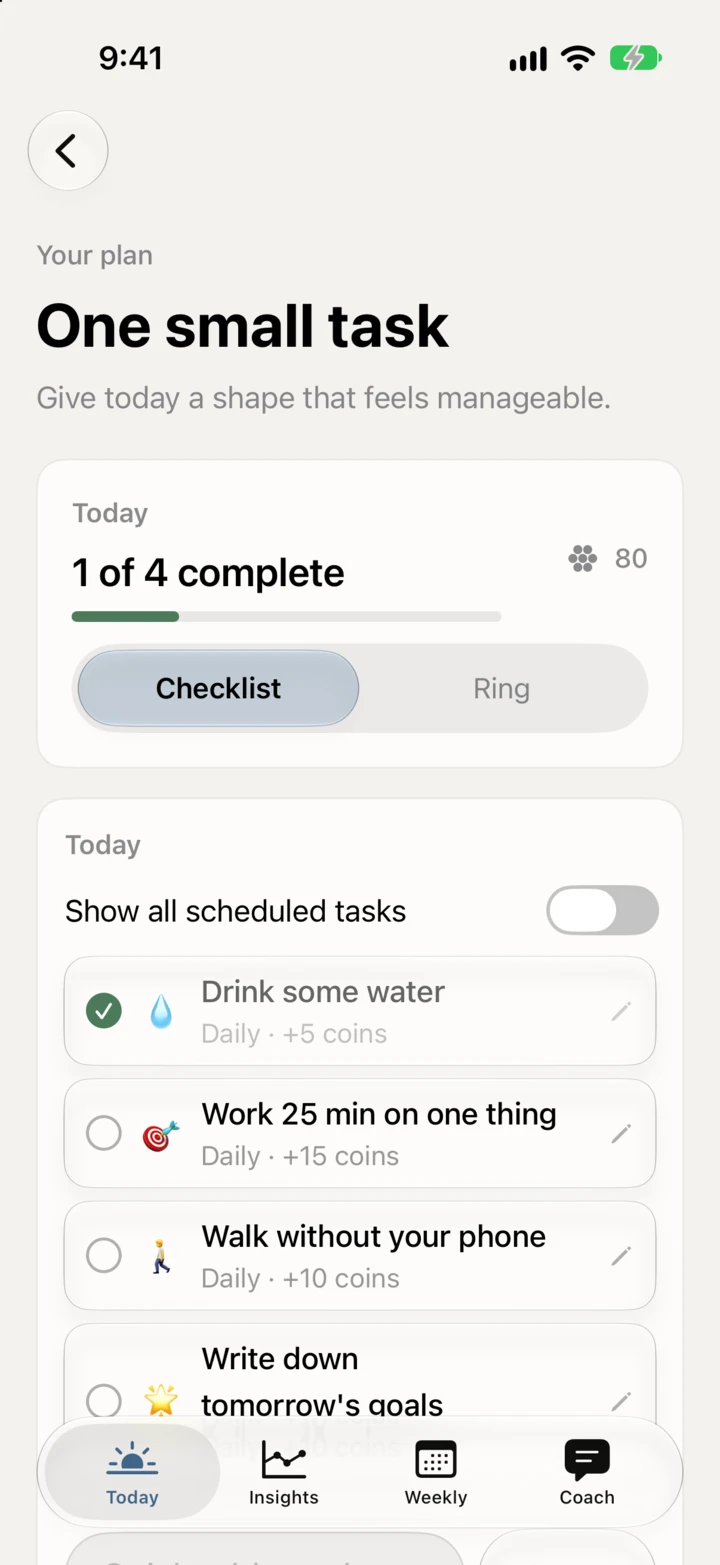
Give today one small task.
One is enough to start. Add your own, pull a few from the task library, or let tasks repeat on the days you choose. If you want to learn Linux, that could be putting Ubuntu on a USB stick and booting it up.
-
After lunch
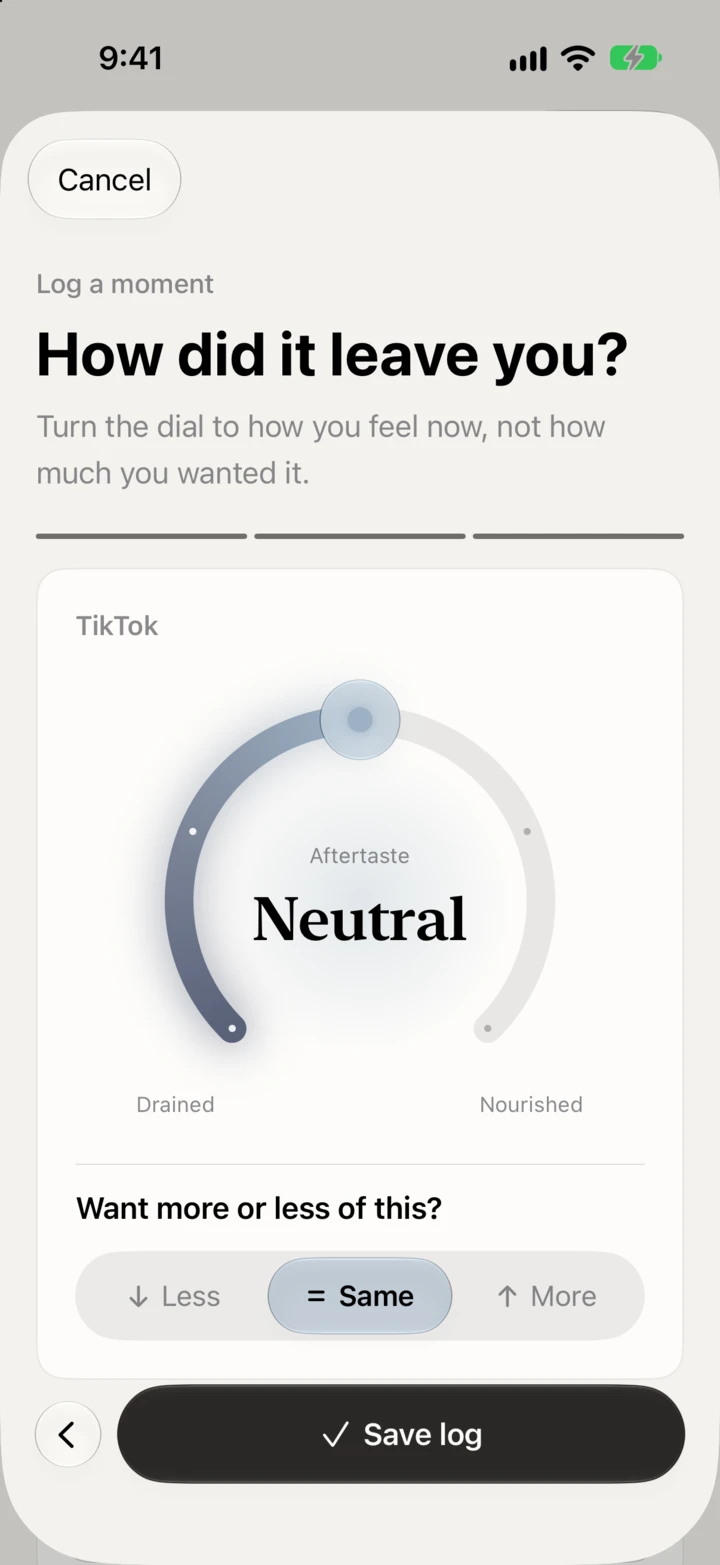
Log the moment while you still feel it.
Pick what you were doing: a feed, a show, a friend, a walk. Then turn the dial to how you feel now, not how much you wanted it.
-
Before bed
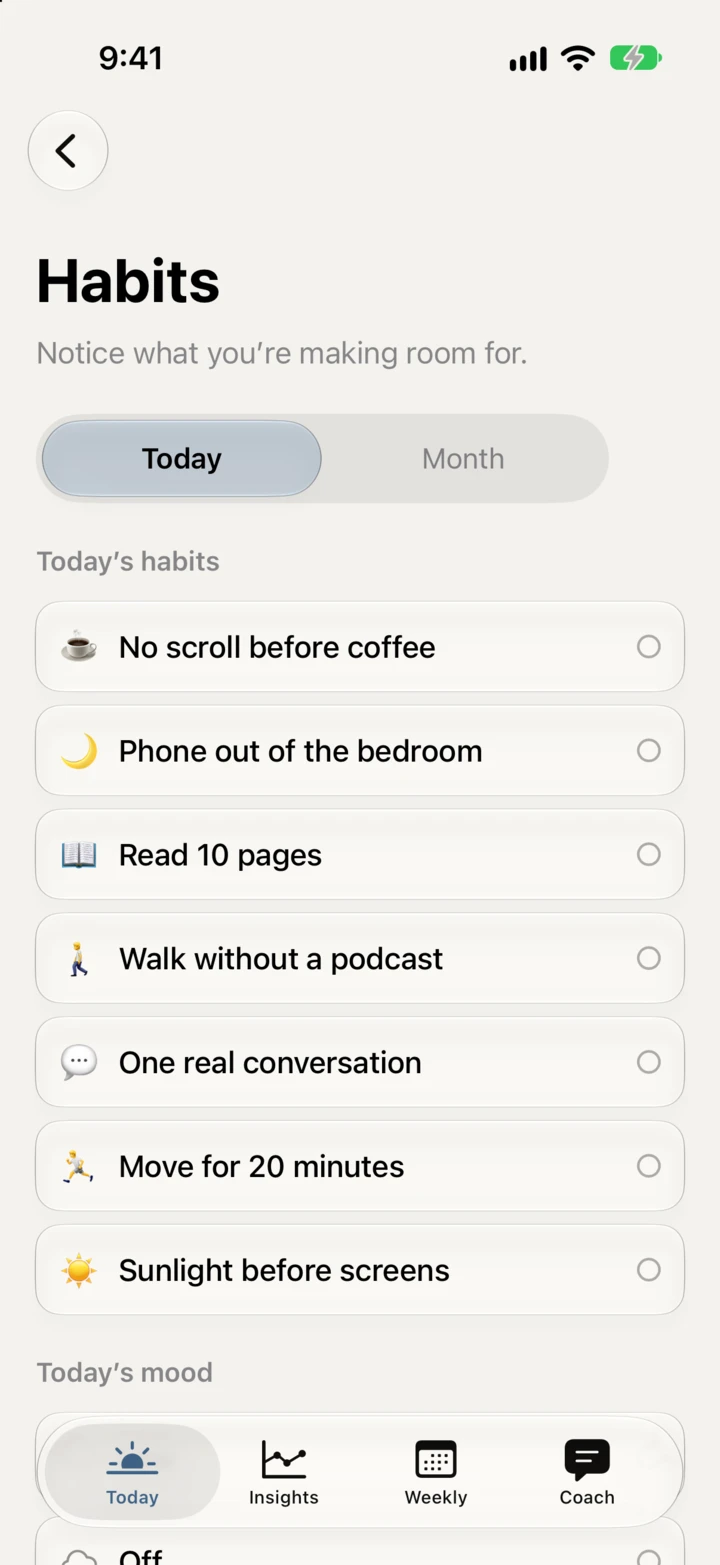
Keep the habits that make room.
Halfway through making dinner after a long day, someone at home brings up a small worry. Turning down the burner and listening without rushing to fix it takes two minutes, and it lets them know they matter more than the schedule. You can also offer an hour of your skills to a school or library.
-
Sunday
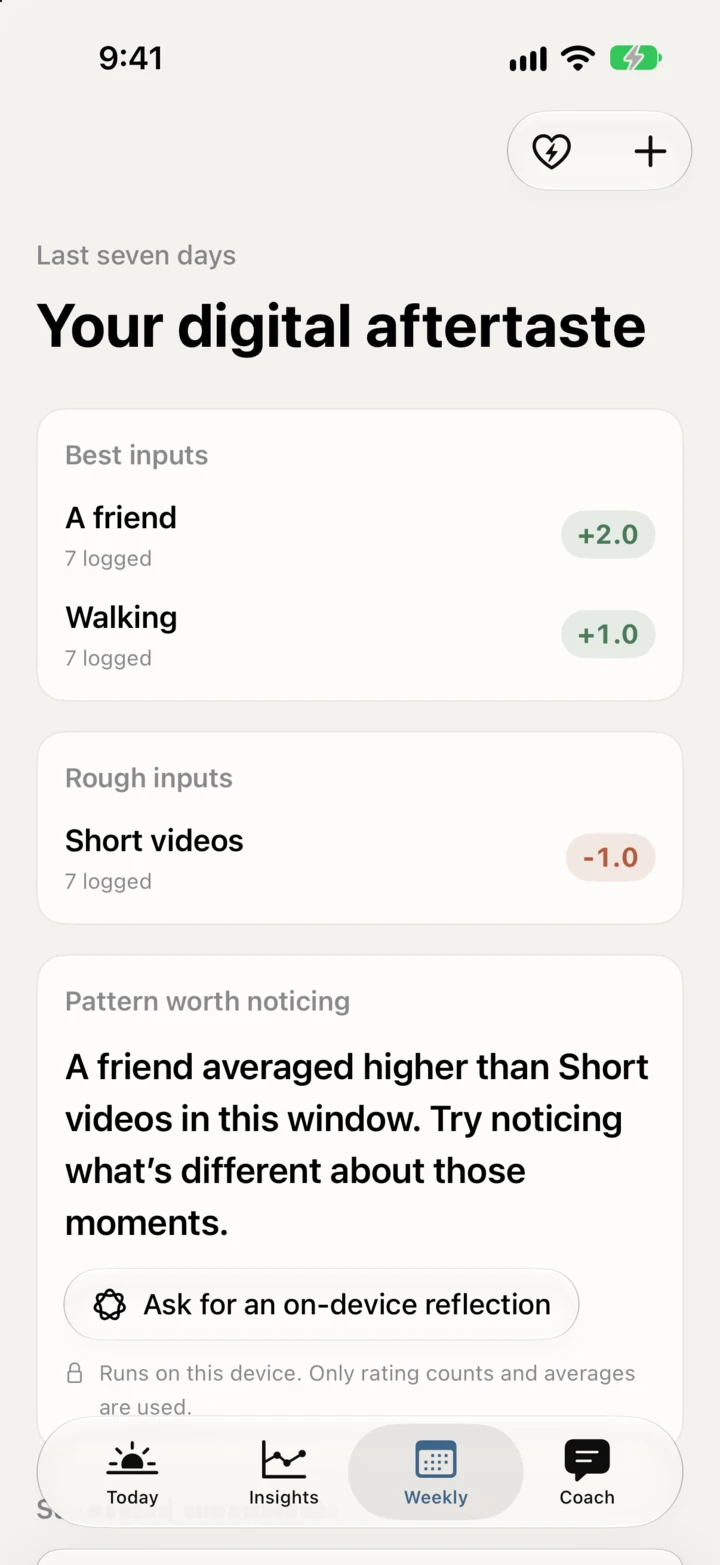
See what left you better off.
The week is built only from moments you chose to log. A friend, a walk and short videos each get an honest average, in your own numbers.
Compare your app time with Apple Screen Time
-
Next week
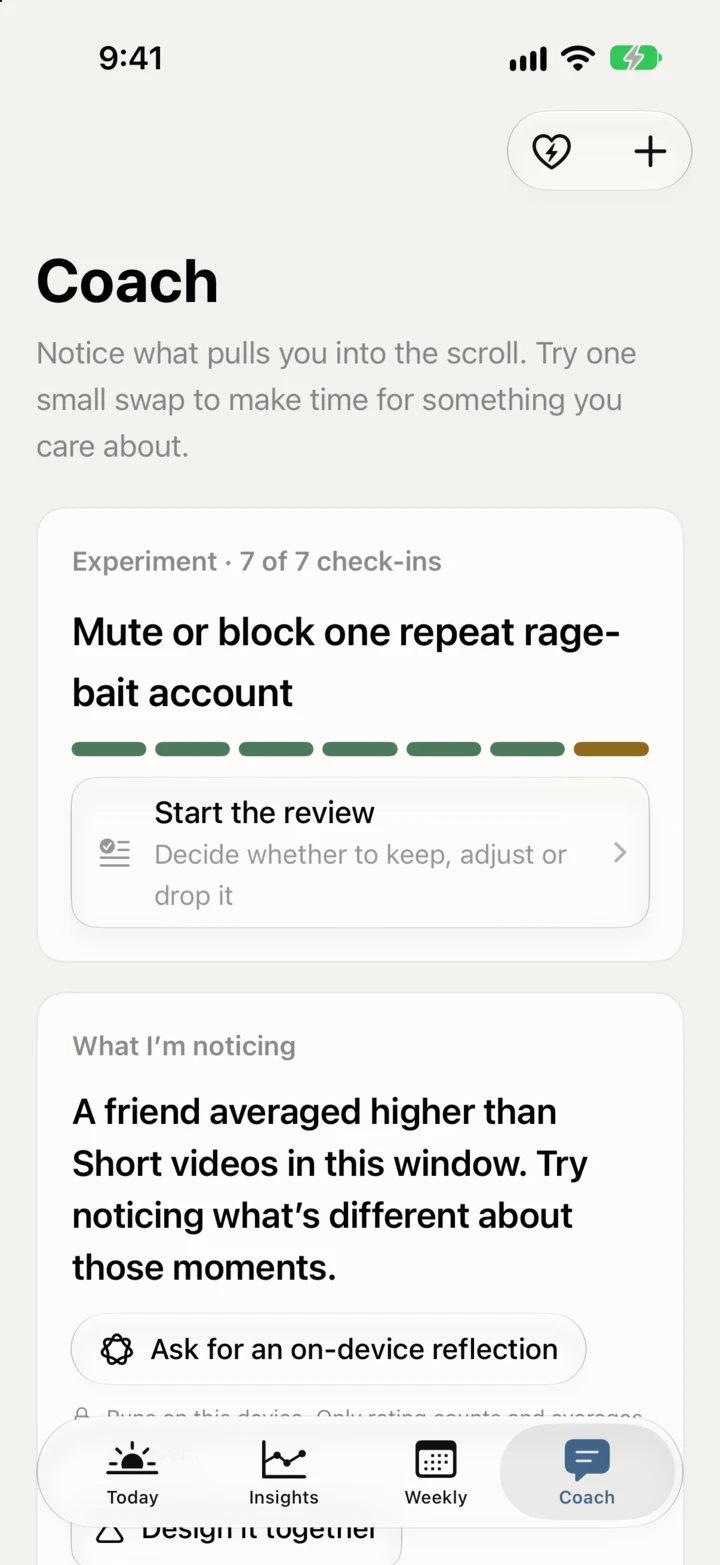
Try one small change.
The coach suggests an experiment, such as muting one repeat rage-bait account. It checks in for seven days, then asks whether to keep it, adjust it or drop it.


Grows with you
A path that deepens as you do.
Glimmer starts with noticing small things. As your practice grows, the lessons, practices and challenges ask more honest questions, until you’re writing a practice of your own. Everything stays open to explore, and a low-energy day always brings gentler ideas.
NoticeDay one
- A lesson
- A challenge
- A practice
Room to think on the Mac.
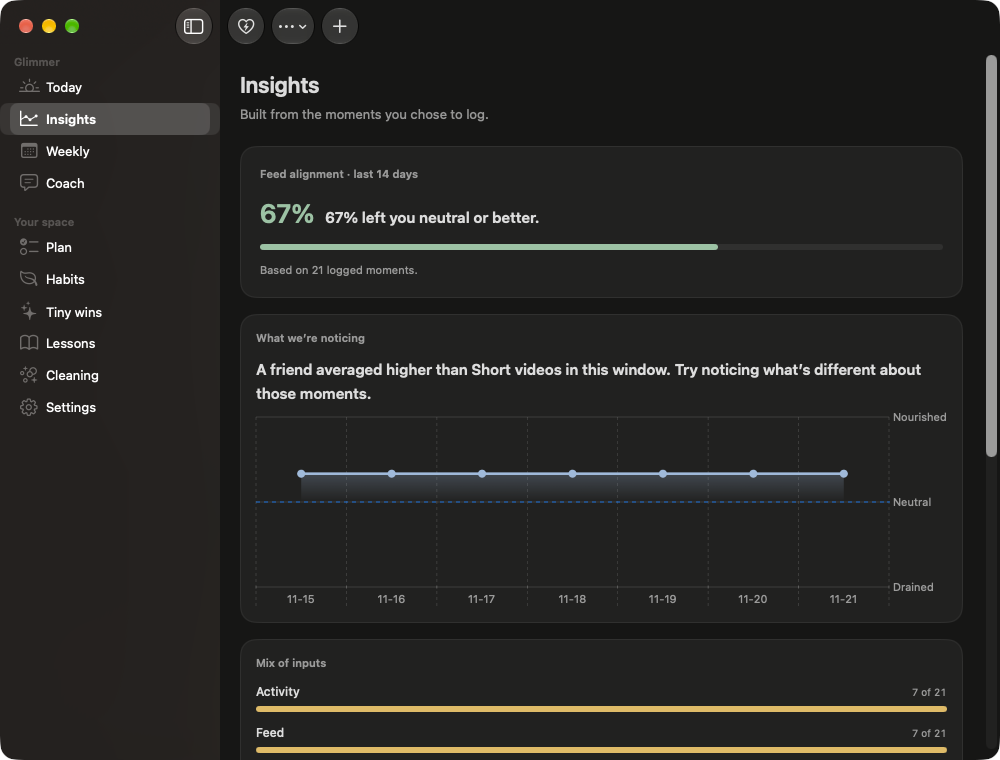
The Mac app keeps everything in one window: Today, Insights, your plan and the coach in a sidebar, with the same dial for logging a moment.


One journal on every screen.
Glimmer is built around the Mac app, with iPhone and iPad companions on the way, in light and dark. Turn on sync and your journal moves between your Mac and iPhone through your own iCloud.
Read 120 lessons that deepen as you go, from noticing what pulls at you to stillness, conscience and a practice of your own. Glimmer also has guided challenges with timers and cleaning lists for days when a whole room is too much.
Your journal stays yours.
- Saved on your device
- Glimmer keeps your journal locally and works offline. There is no account to create.
- Your iCloud, if you want it
- Turn on sync and your journal moves between your devices through your own iCloud Drive.
- Reflections that stay put
- Optional reflections run on the device with Apple Intelligence, from rating counts and averages only.
- Backups you control
- Export the whole journal to a file and restore it whenever you need to.
- Who writes the coaching?
- Author and life coach Brad Dunlap draws on his research, writing and lived experience. Read Brad’s note.
- Works with your agent
- On Mac, your agent can bring today’s Glimmer into your own dashboard and check off a practice when you give it permission. Set it up.
- Free
- Every feature is free. The app has no ads and no analytics.
Get Glimmer
Mac
Coming soon.
Requires macOS 15 or later. Apple silicon and Intel. Glimmer checks this site for updates.
Download for MaciPhone and iPad
Coming soon on the App Store.

One newsletter.
All of Protomota.
Product updates and notes from the things I’m building. Join only if you want to.
Join the Protomota newsletterMade for small wins.
Fueled by coffee.
Like where Glimmer is going? A coffee is a small way to support the person behind it.
Buy me a coffeeTips are optional. Glimmer is free.
Glimmer feedback
Report a bug, suggest a feature, or tell us how Glimmer is working for you.
Send feedback